
Your bookings.
One clearer day.
From the first available slot to the last check-in, Resurv brings your appointments, team and customer relationships together.
Already using Resurv? Sign in to your dashboard, then select “View Booking admin” to open your business. New here? Explore the features below.
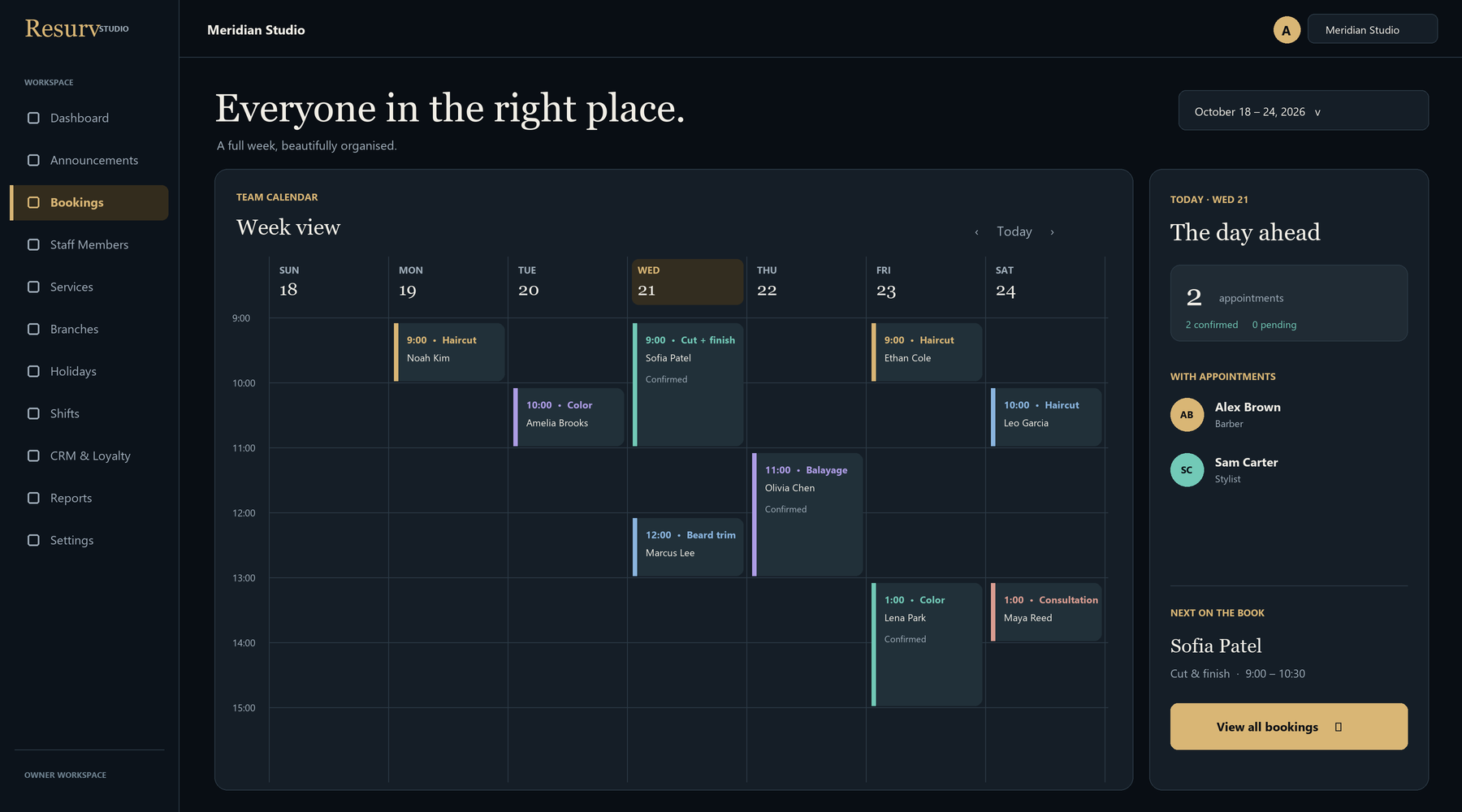
Illustrative booking admin layout · example data, not a live account.
A booking journey that makes sense.
Customers choose a branch, a service, a staff member and an available time. Your team manages the same appointments from the booking admin, with list and calendar views for the way you work.
- Show services with clear durations and staff assignments.
- Keep availability connected to shifts, breaks and closures.
- Add appointments at the front desk alongside online bookings.
- Send supported confirmations and reminders through your configured notification channels.
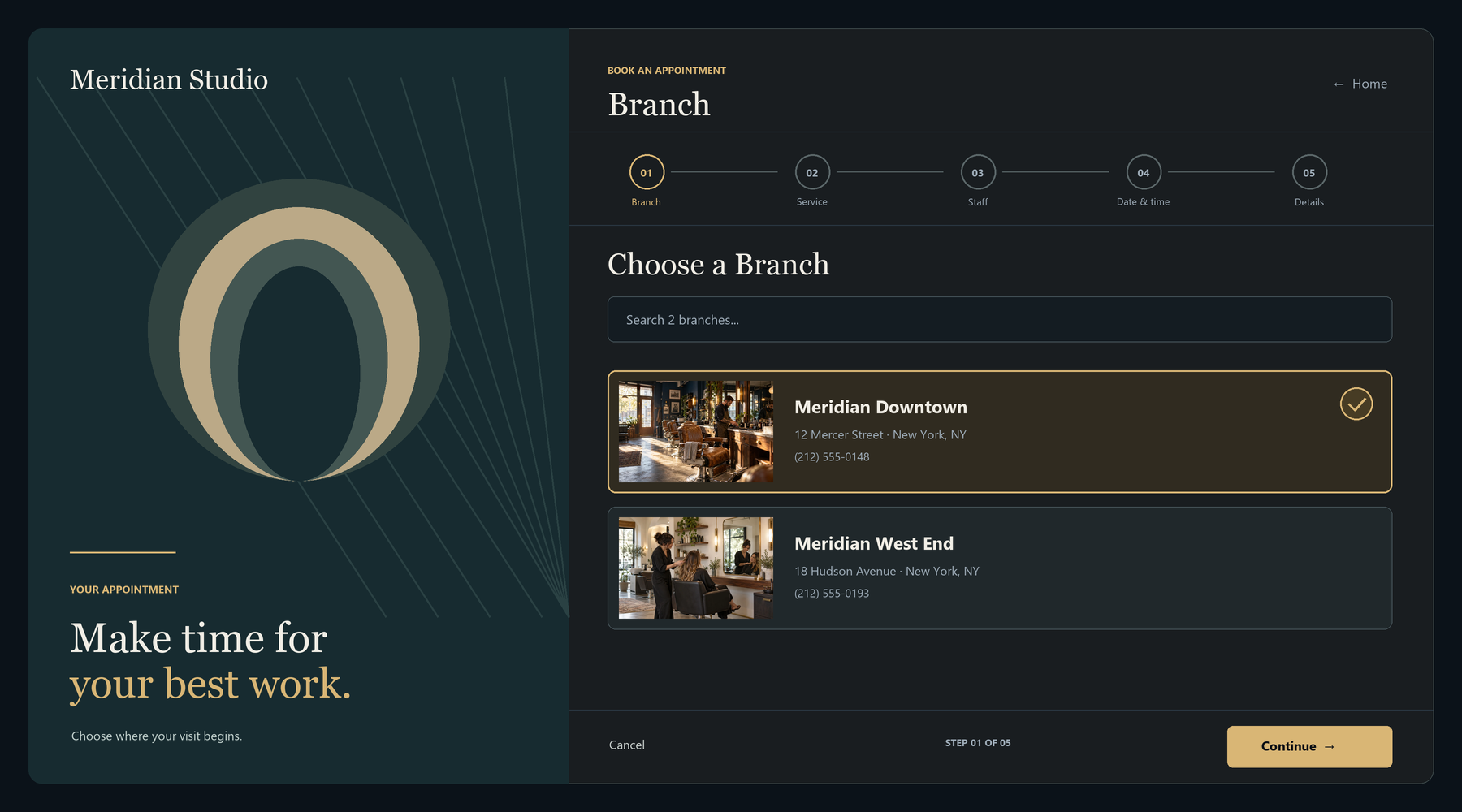
Pick a branch
Start with the location where the service will take place.
Choose a service
Find the right appointment and its planned duration.
Choose your person
Select an assigned staff member who offers that service.
Reserve a time
Choose from the slots supported by the configured schedule.
Make the calendar reflect your real team.
Give staff their working hours, assign services to the people who perform them, and keep branches organized from one place. Lunch breaks and holiday closures belong in the schedule before customers start booking.
- Weekly shift templates and break windows.
- Staff and service assignments by branch.
- Location filters for day-to-day oversight.
- Roles and permissions for staff, managers and reception.
Staff and location allowances depend on the current plan and region. Check the live pricing section for the limits attached to your account.
Know who has arrived.
A booking’s customer QR code connects check-in with the appointment record. Front-desk staff have a clearer way to distinguish an expected customer from an arrival already logged.
Growth also includes staff QR time-in and time-out capabilities, so attendance can sit alongside the working schedule. These are attendance records; they do not replace a payroll system.
Customer QR · Essential and aboveStaff attendance QR · Growth and above
Arrivals, at a glance.
Illustrative status examples. No live customer or staff data.
Give the next visit a little more context.
Customer records, visit history and loyalty tools help your team build a consistent service experience. Review the history you need, apply configured loyalty discounts, and plan promotions with clear terms.
- Customer profiles and appointment history.
- Loyalty tiers with configured perks and automatic discounts.
- Promo codes with percentage or fixed discounts and usage limits.
- Booking-page themes, colors and branding on the advertised Growth bundle.

See what your appointment book is telling you.
Use confirmed booking value, checked-in value, service performance and demand patterns to review the week. Filter by date and branch, then export reports when your team needs the data elsewhere.
Booking value reflects quoted appointments, not collected payments. Review the selected date range, booking statuses and branch before making decisions.
Advanced analytics · Growth and aboveBusy days
Illustrative chart with example counts. Not a performance claim.
Choose the tools your business will use.
Start with your daily workflow, then choose the plan that supports it. This is a guide to the advertised bundles; current regional pricing and configured entitlements take precedence.
| Capability | Essential | Growth | Scale |
|---|---|---|---|
| Core booking & basic scheduling | Included | Included | Tailored scope |
| Customer QR check-in | Included | Included | Tailored scope |
| Staff / location allowance | See current plan | See current plan | Custom agreement |
| CRM, loyalty & booking themes | Not in advertised bundle | Included | Tailored scope |
| Staff QR & advanced analytics | Not in advertised bundle | Included | Tailored scope |
| Customer notification channels | Email & SMS | Custom agreement |
Messaging setup and usage allowances can vary. Ask about specialist workflows and integrations before relying on them. A booking system does not, by itself, establish support for room-capacity rules, memberships, clinical records, payroll or a point of sale.
From an empty account to your first booking.
Set the foundations
Add your branches, staff and opening hours in the tenant dashboard.
Set up access
Create the roles and user accounts your booking team will use.
Open Booking admin
Use “View Booking admin” in your dashboard. Subscription and setup checks guide access.
Test the whole journey
Create services and shifts, then test a customer booking and arrival.
Meet your next working day.
Open your tenant dashboard to reach your own booking admin, or start a trial to explore Resurv.
Sign-in is required. Booking admin access depends on your subscription, enabled features and account setup.